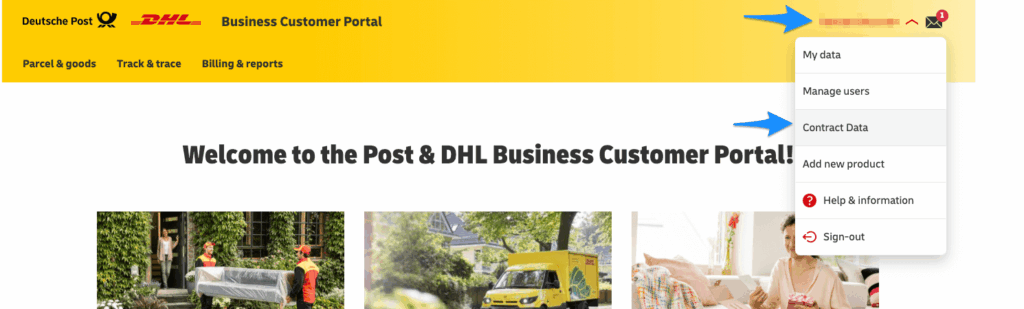
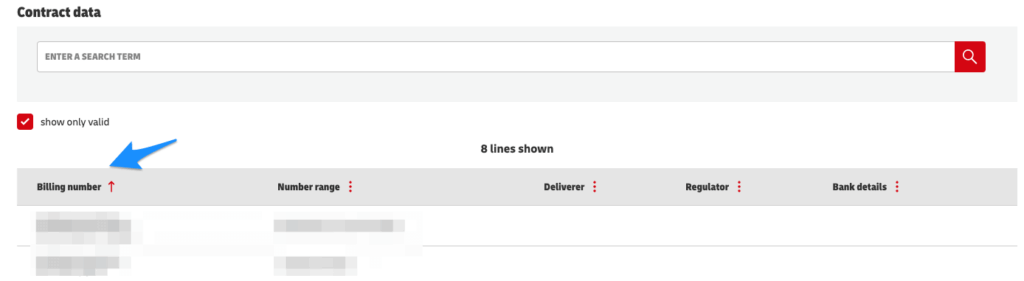
To connect RepairCMS with DHL, you need a special System User and your Billing Numbers. You can find both in your DHL Business Customer Portal (GKP).
Step 1: Creating the System User #
Important: Please do not use your normal login details for RepairCMS. For security reasons, you must create a dedicated „System User“.
- Log into your DHL Business Customer Portal.
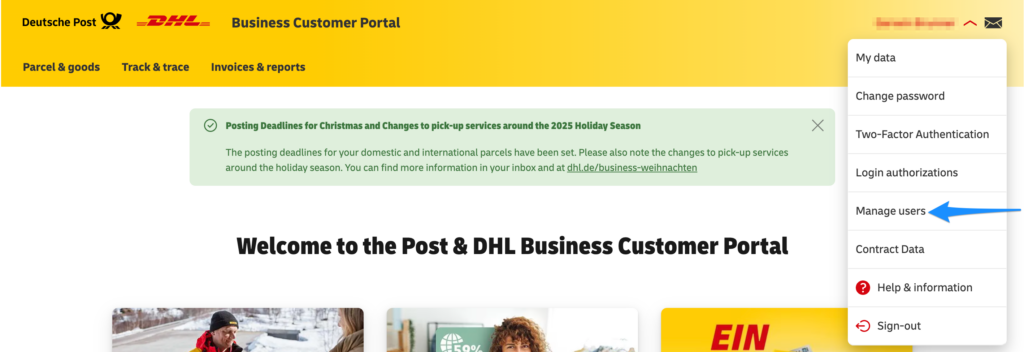
- Click on „Administration“ in the top menu and select „Manage Users“ (or click your name in the top right corner and then „Users“).
- Click the „Create new user“ button.
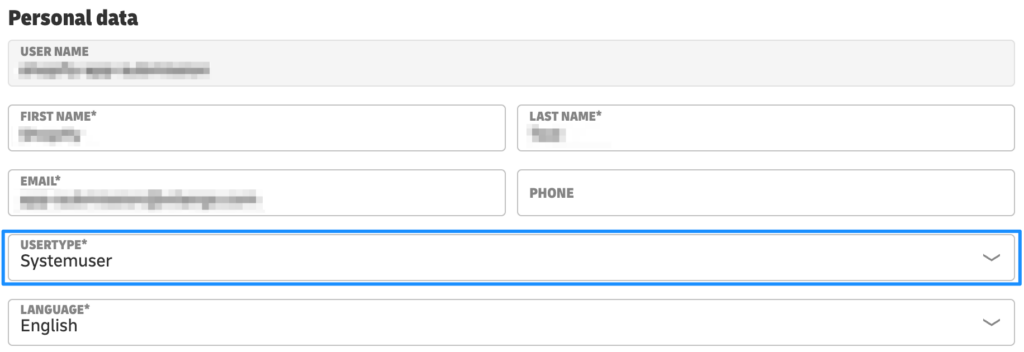
- IMPORTANT: In the form, under the user type, you must select „System User“ (Systembenutzer)
- Assign a name (e.g.,
repaircms_system) and a password. Save these two values and enter them into RepairCMS.
Step 2: Finding the 14-digit Billing Numbers #
So that DHL knows which contract to bill the labels to, we need your billing numbers (this consists of your 10-digit customer number/EKP + 4 digits at the end).
- In the DHL portal, click on „Contract Data“ in the top menu (or „My Account“ -> „Contract Data“).
- Go to the „Contract Items“ tab.
- Here you will see a list of all your active DHL products.
Standard Billing Number: Look for „DHL Paket“ (V01PAK) in the list. Enter